Third-Party Scripts After the DebugBear Hijack: We Checked 260 Egyptian .eg Sites, Plus an 8-Step Checklist
Short answer: On 29 October 2026, a performance-monitoring script from DebugBear was turned into a theft tool on Polymarket after DebugBear's DNS records were compromised through its domain registrar. We checked 260 Egyptian .eg websites on 1 November 2026: 57.7% load scripts from external domains, only 13.5% use a Content Security Policy that restricts scripts, and only 7.7% of external script tags carry an SRI hash. The fix: inventory your scripts, restrict them, and lock down your registrar account.
Third-party scripts are JavaScript files your website loads from other companies' servers, such as Google Tag Manager, ad pixels, speed-monitoring tools, chat widgets and CDN libraries. They run inside your page with the same power as your own code, so if their content changes at the source, what your visitors see and what happens in their sessions changes too, without you touching a single line. That is exactly what the last week of October 2026 exposed, and it is why we measured the situation on Egyptian websites.
What happened in October 2026? From monitoring script to theft tool
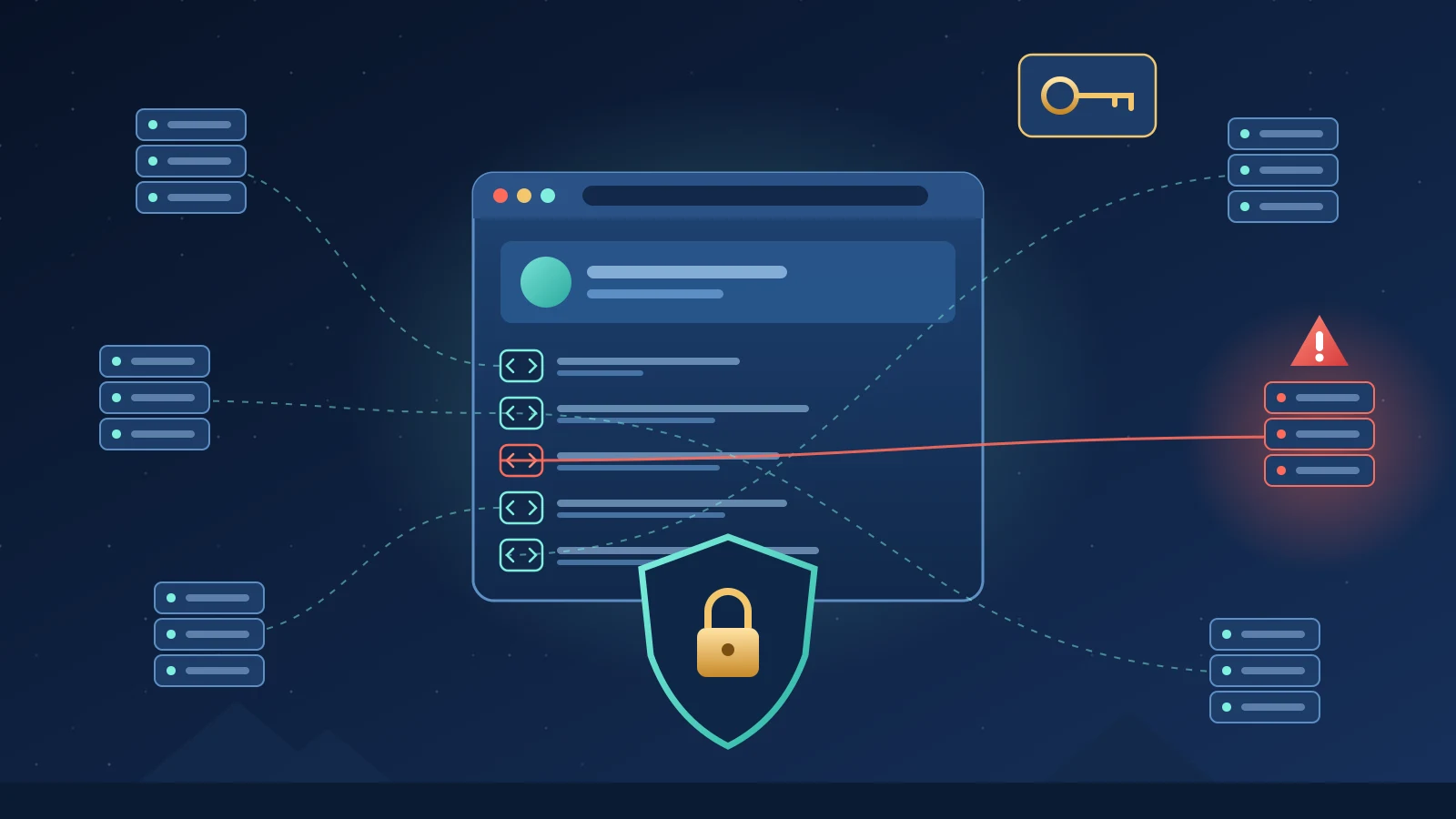
According to CircleID (31 October 2026), on 29 October attackers exploited a third-party monitoring script associated with DebugBear, a website speed and user-experience monitoring service, to steal approximately $2.7 million from 726 wallets on Polymarket. DebugBear later reported that its DNS records had been compromised through its domain registrar, and said it had found no evidence that its own internal systems were breached.
CNBC reported that Polymarket said it was returning $3.9 million to traders: the $2.7 million taken plus $1.2 million to cover losses related to the trading pause.
On 30 and 31 October 2026 a separate wave followed: DNS hijacks of at least 12 cryptocurrency websites, sending visitors to wallet-draining pages, with attention on Vercel Domains and Name.com but no confirmed common root cause so far. No link between the two incidents has been established.
The practical lesson is clear: your website's security does not stop at your server and your code; it extends to every domain your site loads code from, and to the registrar account that controls DNS for your domain and your vendors' domains.
Why third-party scripts matter for Egyptian websites
The incident may feel distant because it hit a foreign trading platform, but the same pattern applies to any Egyptian website that loads external code on sensitive pages:
- Clinics and medical centres: booking pages and patient portals collect health data, which is sensitive data under Egypt's Personal Data Protection Law No. 151 of 2020.
- Online stores: checkout and login pages are the first target of any tampered script.
- Government bodies and universities: service portals and student results pages reach huge numbers of citizens, so a tampered script there reaches a very wide audience.
- Admin dashboards: an external script running inside a logged-in administrator's session effectively holds that administrator's permissions.
We checked 260 Egyptian sites: what third-party scripts look like on .eg domains
On 1 November 2026 (09:34 Cairo time, UTC+2), the Smart One Group team checked the homepages of every .eg domain in the Tranco list of popular websites (list 262N9), 332 domains in total. 260 of them responded (78.3%). We read the initial HTML of each homepage, extracted external script tags, and checked for the integrity attribute (SRI hash) and the Content-Security-Policy header.
Key findings
- 150 of 260 sites (57.7%) load at least one script directly from an external domain in the page code.
- 128 sites (49.2%) contain Google Tag Manager code, 34 (13.1%) contain the Meta pixel, and 141 (54.2%) contain at least one marketing or analytics tag.
- Only 79 sites (30.4%) send a CSP at all, and only 35 (13.5%) actually restrict script sources through script-src or default-src.
- Of the 150 sites loading external scripts, 126 (84.0%) have no CSP restricting scripts.
- Of 519 external script tags, only 40 (7.7%) carry an SRI hash, and just 2 of the 150 sites protect all of their external scripts with one.
- Even static CDN libraries such as cdnjs, jsDelivr and jQuery, which are easy to pin with a hash: only 24 of 113 tags (21.2%) carry SRI.
- We did not find the DebugBear script in the code of any site we checked.
Results by domain type
| Group | Responding sites | Load an external script | CSP restricting scripts | External scripts with SRI |
|---|---|---|---|---|
| Commercial (.com.eg and bare .eg) | 105 | 62 (59.0%) | 18 (17.1%) | 12 of 292 (4.1%) |
| Government (.gov.eg) | 68 | 39 (57.4%) | 11 (16.2%) | 3 of 91 (3.3%) |
| Education (.edu.eg) | 80 | 46 (57.5%) | 6 (7.5%) | 25 of 128 (19.5%) |
| Total | 260 | 150 (57.7%) | 35 (13.5%) | 40 of 519 (7.7%) |
Method note: we checked only the initial HTML without running JavaScript, so scripts injected later by a tag manager are not counted, and the real number of external scripts is probably higher. These results do not mean any site is compromised; they measure how much each site depends on external code and how tightly it controls it.
SRI, CSP and domain lock: what is the difference?
Subresource Integrity (SRI) is an integrity attribute on a script tag holding a cryptographic hash of the file's content; if the file changes at the source, the browser refuses to run it. The MDN documentation explains how to use it. It suits static, versioned files, but not scripts that change constantly, such as tag managers and ad pixels.
Content Security Policy (CSP) is an HTTP header that tells the browser which domains your site may load scripts from and connect to. CSP does not stop a script from an allowed source being modified, but it blocks code from unknown domains and limits where data can be sent.
A registrar domain lock prevents transfers or nameserver changes without extra steps. CircleID notes that DNSSEC alone would not necessarily prevent an attack involving authorized changes made from inside the registrar account, so protecting the registrar account itself is the first line of defence.
An 8-step third-party scripts protection checklist
- Inventory every external script: record each script's domain, purpose, owner, the pages it runs on and its last review date. Include whatever is added through a tag manager and plugins.
- Remove what you do not need: old testing tools, finished campaign tags and duplicate analytics add risk with no benefit.
- Self-host static libraries or add SRI: jQuery, Bootstrap and chart libraries can be copied to your server, or pinned to a specific version with integrity and crossorigin attributes.
- Roll out CSP in two stages: start in Report-Only mode to learn what your site really loads, then enforce a policy that limits script-src and connect-src to the domains you need.
- Isolate sensitive pages: keep ad pixels and session-recording tools off checkout, login, patient-portal and admin pages.
- Govern your tag manager: few users, mandatory two-factor authentication, a review of every version before publishing, and removal of former staff and agency accounts.
- Secure your registrar account and DNS: two-factor authentication, transfer and update locks, a recovery email on a different domain, and instant alerts when nameservers or records change. Ask your key vendors about the same controls.
- Prepare an incident plan: a way to switch off any script within minutes, invalidate sessions and reset passwords, and review logs and changes during the exposure window, just as DebugBear customers had to do when told to remove the code.
How to start this week
Open your homepage and your checkout or booking page in a browser, open developer tools, go to the Network tab and filter by JS; every domain that is not yours is a third party that needs an owner and a reason. Then check the response headers for a Content-Security-Policy. One hour of work gives you a clearer picture than any generic report.
If your website was built by us, or you want an existing site reviewed, our web development team reviews scripts and CSP, our digital marketing team sets up tracking so measurement stays accurate without opening gaps, and our support contracts include periodic change monitoring. For domain-level protection, read our article on registry hijacks and CAA records, and for the personal-data side see our website data protection compliance checklist.
Frequently asked questions
What are third-party scripts?
Third-party scripts are JavaScript files your website loads from other companies' domains, such as analytics, advertising, chat tools and CDN libraries. They run inside your page with the same power as your own code, so any change at their source directly affects your visitors.
Does your check mean Egyptian websites are hacked?
No. The check measures reliance on external code and the presence of controls such as CSP and SRI; it does not look for malware. We did not find the DebugBear script on any site we checked, but the results show most sites have no safeguard if one of their vendors is compromised.
Is an SRI hash enough to protect Google Tag Manager?
No. SRI suits only static, versioned files, while tag managers and pixels change constantly. Protection there comes from a Content Security Policy, restricted tag manager permissions and a review of every version before it is published.
Does DNSSEC protect against a domain hijack through the registrar?
Not necessarily. DNSSEC protects against forged DNS answers, but if an attacker gets into the registrar account and changes the nameservers, the change looks authorized. The core defences are two-factor authentication, domain locks and alerts on any change.
Is an ad pixel on a clinic booking page a problem?
Yes, it needs careful review. Health data is sensitive data under Egypt's Personal Data Protection Law No. 151 of 2020, so it is better to keep pixels and session-recording tools off booking pages and medical forms, and to measure conversions in ways that do not pass on patient data.
How long does it take to add a CSP to an existing site?
It depends on the number of scripts and the site's complexity. The safe approach is to run Report-Only mode for several days to collect what the site really loads, then enforce the policy gradually so important forms and measurement tools do not break.
Want an inventory of your site's scripts and a review of your domain settings? Contact the Smart One Group team and we will give you clear priorities without disrupting your campaigns.